
Hello to citizens the littlest fedi 🤏

Strangers
I keep a terminal window open most evenings, more out of habit than need, tailing the access log of one of the littleFedi test instances while I think about something else entirely. That's how I noticed it the first time: a fetch from a Threads host, correct in every way ActivityPub asks it to be, asking for someone's outbox.
Nothing wrong with it, technically. And yet I sat there for a while, thinking about the person behind that account, and whether they'd have wanted a company that size reading what they wrote, simply because the protocol says anyone can ask.
So we built a way to say no, but only to strangers, not to friends.
An instance still federates in the open by default, the way ActivityPub expects, because that's what almost everyone wants and I wasn't going to take it away from them. What changed is that an admin can now flip to an exact-host allowlist, from the console or from the command line, and it happens immediately, the switch is simply true the moment you set it. Once it's true, reads on posts, on the followers list, on the outbox, all start asking for a signature, and only the hosts you've named get an answer back. Discovery stays open regardless, because a peer that doesn't know you exist yet still needs a way to find out, before it can even be told no.
I went back and forth for a long time on what should happen to a peer once you remove them, or once you switch the whole instance back to open. In the end nothing gets deleted, not the account, not the relationship, not a single post or piece of media or anything cached from them. Traffic stops, that's all. I've never liked the idea that moderation means destroying what someone wrote, as if the words themselves were the problem and not who gets to see them.
There's a list, if you want it, of the big commercial names, the ones like Threads that started this whole conversation. It updates once a day over HTTPS, quietly, and if the update fails it just keeps yesterday's copy instead of leaving your instance with nothing. But whatever an admin decided on purpose always wins. Allow someone by hand and the list can't undo it. Suspend someone by hand and even an allow can't undo that either.
If you're bringing a block list with you from somewhere else, plain text works, CSV works, and so does the Mastodon export with all its fields, severity and everything. Ten thousand rows at most, checked before a single one is written, and you get to look at what's about to happen before it happens.
One thing I'll admit, since it will trip someone up eventually: matching is on the exact host. A peer that splits its actors and its inboxes across different addresses needs every one of them on the list, not just the one that looks like the main domain. It's the kind of mistake that fails closed instead of open, which is the direction I'd rather be wrong in, but it's still a mistake waiting to happen, so it's the first thing in the documentation.
I still think about that line in the log sometimes. A small server should get to say no to a stranger.
Now it can.

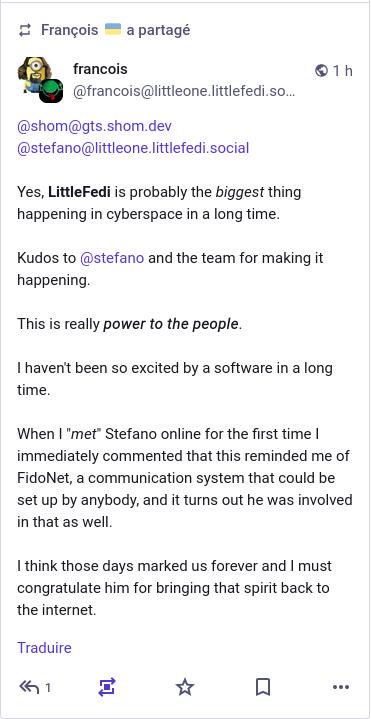
@stefano
The workaround is of course to reply to the message and cut and paste the url from the browser, but I'm lazy. It does work tho.
This is the blog that #littleFedi generates from my posts, when I enable the "Blog Post" toggle: https://littleone.littlefedi.social/@stefano/blog
Fixing a Sun Type 7 Keyboard
Recently, not quite sure why, I decided to start looking for a Sun keyboard. Originally I was on the hunt for a keyboard that would have vim bindings printed on the keycaps, but as I was browsing around, I stumbled on a great deal on eBay -- fraction of the price, but there was no USB cable. That's a relatively easy fix, so I got one.
The keyboard arrived in good shape, and apart from the insane amount of fluff in it and the faded / yellowed plastic of the keyboard it was in decent shape. Yes, the cable was cut. But it was easily accessible: two screws on the bottom and further three underneath the top keyboard cover.
Once undoing the two longer screws on the bottom I popped off the top keyboard cover; this is held on with tabs and if you work your way around the left, bottom, and right side, it hinges at the top.
I decided the first job would be cleaning. I used a soft brush to get rid of the debris under the keys after opening (but not fully disassembling) the keyboard, and then took cotton wool balls dipped in rubbing alcohol to the surface to clean. This took a while but it worked OK.
Next was connecting up the USB cable. On the PCB the USB connector is probably some kind of a standard SMD connector, with standard USB cables coming off it: black, white, green, red. These are GND, D-, D+, 5V, usually. There is a fifth ground cable going to the USB cable, which is the "shield ground".
I disconnected the USB connector to the PCB and chopped up a USB connector. My initial plan was to use a USBC female to USBA 3.0 male connector's USBC end. But USB3.0 has, I think, 8 pins rather than 4, and while it should be possible to only hook up the 4 "standard" USB lines, I did not have much success with this.
Otherwise the soldering job was fine, although with these thin cables, rather than stripping them, I took to melting back just enough of the cable sleeve on each to expose a workable amount of wire. Just apply some hot solder on the tip of the soldering iron and it works well.
Second attempt involved cannibalising an old MiniUSB cable I really had no use for anymore. This has the "correct" amount of wires and this time it worked! I was delighted.
OpenBSD recognised it really well as a Sun Type 7 USB keyboard:
uhidev1 at uhub1 port 4 configuration 1 interface 0 "Fujitsu Component Sun USB Keyboard" rev 2.00/1.05 addr 4
Then I fired up xev to see whether the most exciting bits, the extra "Stop" and "Again" keys do something.
And they do! xev reports the following mappings by default:
Left hand extra column of keys:
-Help: DEAD.
- Stop: keycode 145 (keysym 0xff69, Cancel)
- Again: keycode 146 (keysym 0xff66, Redo)
- Props: keycode 147 (keysym 0x1005ff70, SunProps)
- Undo: keycode 148 (keysym 0xff65, Undo)
- Front: keycode 149 (keysym 0x1005ff71, SunFront)
- Copy: keycode 150 (keysym 0x1008ff2f, XF86Sleep) *
- Open: keycode 151 (keysym 0x1005ff73, SunOpen)
- Paste: keycode 152 (keysym 0x1005ff74, SunPaste)
- Find: keycode 153 (keysym 0x1008ff17, XF86AudioNext) *
- Cut: keycode 154 (keysym 0x1005ff75, SunCut)
Top right hand extra row of keys (above numpad):
- keycode 160 (keysym 0x1008ff12, XF86AudioMute)
- keycode 174 (keysym 0x1008ff11, XF86AudioLowerVolume)
- keycode 176 (keysym 0x1008ff13, XF86AudioRaiseVolume)
- keycode 222 (keysym 0x1008ff2a, XF86PowerOff)
Bottom row:
- Compose: Menu
So as you can see, it mostly works okay. There are two funky key mappings by default, "Copy" doesn't copy but wants to put the computer to sleep; "Find" wants to skip to the next playing song. But these should be remappable.
The "Paste" and "Cut" keys do what one expects them to under X11, this is really really neat. I really like not having to press "Ctrl-Shift-V" for "paste" but ... "Paste".
The Compose key will be remapped as a Compose key I think, this is doable with xmodmap and .XCompose I think. I want to dig into whether, similar to SunPaste, there ought to be a SunCopy key that I could map to Copy.
For "Front" I want to set up a custom macro; for 9+Front I want to launch drawterm. 😆
Pity that "Help" doesn't do anything. It simply doesn't register as a keystroke. But you can't have it all -- besides, I haven't come up with anything funny to map it to.
Hi everyone, I'm Stefano
Also known as the BSD Cafe and illumos Cafe barista - @stefano@bsd.cafe and @stefano@illumos.cafe
This is the first post from littleOne (littleone.littlefedi.social), the first littleFedi instance open to outside users.
littleFedi is a new ActivityPub server, still in active development, written in Go and shipped as a single binary. It speaks standard ActivityPub, so it federates normally with Mastodon, snac, GoToSocial, Akkoma and the rest of the fediverse, and it exposes a Mastodon-compatible API, so most existing apps already work with it.
A few things about it that aren't the usual fediverse defaults:
-
Catch-up instead of an algorithm. Timelines stay chronological, full stop. There's a separate
/catchuppage, visited on demand, that ranks what you missed using only signals this instance already has locally - who you follow boosted it, replies and favourites delivered here, hashtags you follow. No external popularity data comes in, nothing about what you read is tracked. It answers "what did I miss" without turning into a feed that decides for you. -
Static blogging built in. Any post can be marked as a blog post and gets published as a plain static page under
/@username/blog/, with its own permalink, Atom feed, and no JavaScript or database hit per view, while still being a normal federated post underneath. A proper home for longer writing that doesn't need to compete with a timeline. -
Self-expiring posts. Any post can be given a timer and auto-delete on its own.
-
Bubble timeline. A middle ground between local and federated: a timeline scoped to a set of instances you've chosen to group together, not just your own or everything.
-
littleMesh. A way to federate without a public domain, certificate, or open port at all - meant for something like a Raspberry Pi behind NAT. Instances get an address derived from an Ed25519 key pair and reach each other through pinned relays that never see plaintext.
-
No trends, no suggestions. These are intentionally left empty. Nothing here is trying to surface "popular" content or keep anyone scrolling longer.
-
Security defaults taken seriously. Signed federation (HTTP Signatures), optional Object Integrity Proofs, TOTP MFA, audit logs, and full account export, migration and deletion if you ever want your data to live somewhere else.
This instance is here to test all of that with real accounts, not just a small group ones'. In the next few days I'll be reaching out to everyone who already told me they were interested, to set the first accounts up - an invite is coming. If you'd rather just follow along and see how it goes, that works too.
It's a test instance, so expect the occasional rough edge. If something breaks or feels wrong, tell me - that's exactly what this phase is for.

littlefedi
https://littlefedi.social
✅ Clean
✅ Responsive and fast
✅ Working Notifications
✅ Faster search results
✅ Niceeeee
Hello to citizens the littlest fedi 🤏