
Stefano Marinelli - littleFedi
Barista at BSD Cafe and illumos Cafe - @stefano@bsd.cafe / @stefano@illumos.cafe
Spreading weather forecasts all over the Fediverse via FediMeteo - @admin@fedimeteo.com
Testing littleFedi here on littleOne, its first instance open to outside users. Small ActivityPub server, single Go binary, still in active development.
The official littleFedi account is: @littlefedi_official@littleone.littlefedi.social
Do you want to chat about littleFedi on Matrix?
We have a space, we have a room!
Join us at https://matrix.to/#/#littlefedi-general:bsd.cafe
See you there!
littleFedi: a Fediverse Server That Doesn't Need a Data Centre
I was fifteen, and there were no BBSes in my city. So every call was long distance, once a day, sometimes twice. I'd start the dialer and wait for that sound - the handshake, the negotiation, the hiss settling into a carrier - and then I was connected to a computer sitting in somebody's bedroom, a few hundred kilometres away. I was a co-sysop of a local board and a national moderator of a FidoNet area. None of my friends understood what I was doing, and they'd stopped asking to avoid an incomprehensible monologue. But I liked it, and that was enough for me.
Here's the thing about that computer in someone's bedroom. There was no data centre. No domain, no certificate authority, no hosting provider, no cloud. Just a machine, a phone line, and a person who'd decided to run it. If you wanted to reach it, you called it.
Now look at what it takes today to put a small server on the network so other people can talk to it. A public address, which most home connections no longer have. A domain, which you rent. A certificate, which somebody has to issue you. And, increasingly, a VPS somewhere, because the software won't fit on the hardware you already own.
We've added a lot of infrastructure between two people who just want to talk. That's what littleFedi is about.
What it is
A single Go binary. No Ruby, no Sidekiq, no Redis, no separate worker processes to babysit. You run init, answer a few questions, and you've got a working instance. It speaks ActivityPub, and it speaks the Mastodon client API well enough that existing apps just work.
It also runs on hardware that would make Mastodon - or even Akkoma - struggle. Most software in this space assumes a VPS with a few gigabytes of RAM and a database server next to it. We assumed a Raspberry Pi Zero W behind a home router. There's a low_power mode that tunes memory use, image decoding and thumbnail generation for exactly that kind of box, and it's tested on that kind of box, not just on a fast dev machine.
In spirit this puts littleFedi close to snac, which I've always liked a lot. Same conviction: a personal server shouldn't need a fleet of services behind it.
Federating without a public address
littleMesh is the part I'm most attached to, and it's the part that goes back to the modem.
Your instance generates an Ed25519 key pair. That key is its identity - the node's address is derived from the public key, so reaching that address means reaching the holder of that key and nobody else. No registrar, no certificate authority, nobody to ask permission from.
A small set of public lighthouse nodes help two instances find each other. Once they're introduced, the traffic runs over a second TLS session pinned to both node IDs. The lighthouse copies encrypted bytes back and forth. It never sees plaintext, and it can't impersonate either side. And if the two nodes can reach each other directly, they drop the relay after the introduction and talk peer to peer.
Which is, more or less, calling the BBS directly. Just without the phone bill.
The gateway into ordinary HTTPS
Mastodon and other regular servers can't resolve a mesh address on their own. There's no domain and no certificate for them to find.
That's what the optional HTTPS gateway is for. A lighthouse operator can run one alongside the relay, and it bridges the mesh into ordinary HTTPS for the rest of the web. The gateway has to terminate TLS to do that, so it can technically see the traffic passing through it. Which is exactly why it's a separate, opt-in piece and not something every node exposes by default.
It has two independent settings: one controls what the gateway lets ordinary internet visitors reach at all, and a second one applies again at the destination node. Left at their defaults, both allow only federation traffic - ActivityPub delivery, discovery, public media. Web login, API and media proxy stay closed unless an operator deliberately opens them.
Mesh peers talking to each other directly never touch the gateway at all. That exposure only applies to the bridge into the wider web. And all of this can be self-hosted.
Chronological timelines
Timelines are chronological. Nothing gets reordered by an engagement model.
If you want something closer to "what did I miss", there's a separate /catchup page you visit on purpose. It ranks posts using signals your own instance already has - how many people you follow boosted something, whether it continues a conversation you took part in. No external popularity score, no telemetry, nothing leaves the machine. You press "mark as read", it moves a divider, and that's the only thing it remembers.
Self-expiring posts
You can set a post to expire, with its own timer, instead of a fixed instance-wide setting.
This isn't a client-side trick that hides the post from view. The expiry goes on the same durable job queue that runs the rest of littleFedi's background work, so the deletion survives restarts and isn't lost if the process happens to be down at the moment the timer fires. When it does fire, the post is deleted and a real Delete activity goes out to everyone who received it - so it actually disappears from remote instances too, not just locally. Editing the post before then can push the timer back or cancel it.
Static blogs, with real threaded replies
littleFedi can take a Fediverse post and publish it as a page on a plain static blog, with its own Atom feed and permalinks that don't move even if you edit the post later. No JavaScript, no database hit on page load.
The part I find more interesting is that the replies aren't left out. If the author turns the option on, littleFedi pulls the public replies that were actually federated to the post, threads them the same way the timeline does, and bakes the whole tree into the generated HTML at build time. So a blog post can show a real comment thread, in the same static file, with the same guarantee as the rest of the page - no JavaScript, no live queries. Only public and unlisted replies qualify, obviously. Anything followers-only or direct never enters the picture.
Why it looks like this
This isn't minimalism for its own sake. It's about how many people simply can't run their own server today, because the requirements are too steep. The hardware, the ops complexity, or just needing a domain and a public address before you can start. We're trying to remove those barriers one at a time, while still shipping a real, federating, reasonably complete server: polls, quotes, scheduled posts, MFA, PostgreSQL and S3 if you want to scale up later.
I've written before about taking a semi-truck to buy salad. Hardware keeps getting more expensive and the software running on it keeps asking for more of it every year. That's backwards. If the machines cost more, the operational cost of what sits on them should go down, not up. Same with complexity: the default direction is to keep adding it, and we'd rather strip it out.
And there's the other half, which is closer to why any of us are doing this at all. It's the same thing that drew me to snac and to the way grunfink works on it, and the same thing that had me dialing a stranger's computer at fifteen. People building tools so that people can talk to each other. Nothing more dressed up than that. We'd rather show the servers running, talk about the Pi sitting in the corner, share a tiramisu photo if it comes up. The joy in this was never about the money it brings in. It's about what we end up building, humanly, because of it.
It's beta software, still short of a first release, and I'd rather say that plainly than oversell it. But it runs, and it federates. That's the part I wanted to write about.
Hi everyone, I'm Stefano
Also known as the BSD Cafe and illumos Cafe barista - @stefano@bsd.cafe and @stefano@illumos.cafe
This is the first post from littleOne (littleone.littlefedi.social), the first littleFedi instance open to outside users.
littleFedi is a new ActivityPub server, still in active development, written in Go and shipped as a single binary. It speaks standard ActivityPub, so it federates normally with Mastodon, snac, GoToSocial, Akkoma and the rest of the fediverse, and it exposes a Mastodon-compatible API, so most existing apps already work with it.
A few things about it that aren't the usual fediverse defaults:
-
Catch-up instead of an algorithm. Timelines stay chronological, full stop. There's a separate
/catchuppage, visited on demand, that ranks what you missed using only signals this instance already has locally - who you follow boosted it, replies and favourites delivered here, hashtags you follow. No external popularity data comes in, nothing about what you read is tracked. It answers "what did I miss" without turning into a feed that decides for you. -
Static blogging built in. Any post can be marked as a blog post and gets published as a plain static page under
/@username/blog/, with its own permalink, Atom feed, and no JavaScript or database hit per view, while still being a normal federated post underneath. A proper home for longer writing that doesn't need to compete with a timeline. -
Self-expiring posts. Any post can be given a timer and auto-delete on its own.
-
Bubble timeline. A middle ground between local and federated: a timeline scoped to a set of instances you've chosen to group together, not just your own or everything.
-
littleMesh. A way to federate without a public domain, certificate, or open port at all - meant for something like a Raspberry Pi behind NAT. Instances get an address derived from an Ed25519 key pair and reach each other through pinned relays that never see plaintext.
-
No trends, no suggestions. These are intentionally left empty. Nothing here is trying to surface "popular" content or keep anyone scrolling longer.
-
Security defaults taken seriously. Signed federation (HTTP Signatures), optional Object Integrity Proofs, TOTP MFA, audit logs, and full account export, migration and deletion if you ever want your data to live somewhere else.
This instance is here to test all of that with real accounts, not just a small group ones'. In the next few days I'll be reaching out to everyone who already told me they were interested, to set the first accounts up - an invite is coming. If you'd rather just follow along and see how it goes, that works too.
It's a test instance, so expect the occasional rough edge. If something breaks or feels wrong, tell me - that's exactly what this phase is for.
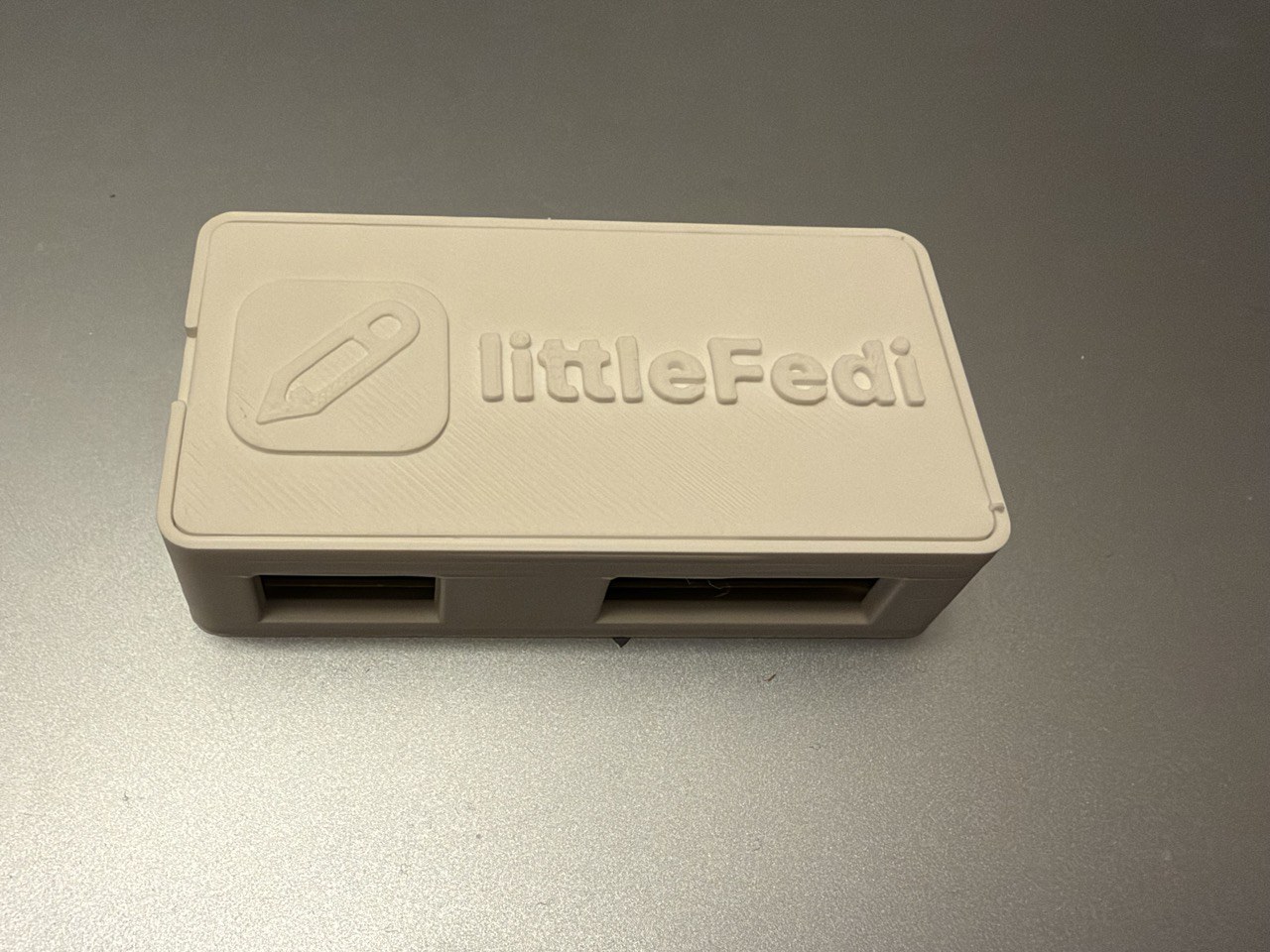
littleBox 2.0!
@sturai Hello! littleFedi should be working with ntfy, too, if the app supports it. It hasn't a direct implementation as snac, but uses the same path as GoToSocial and Mastodon.
My instance is different...
 @stefano@rpi0w.stefanomarinelli.it
Today, a friend sold me his "old" 3D printer, and a whole new world opened up to me.
And yes, my instance just got a little prettier.
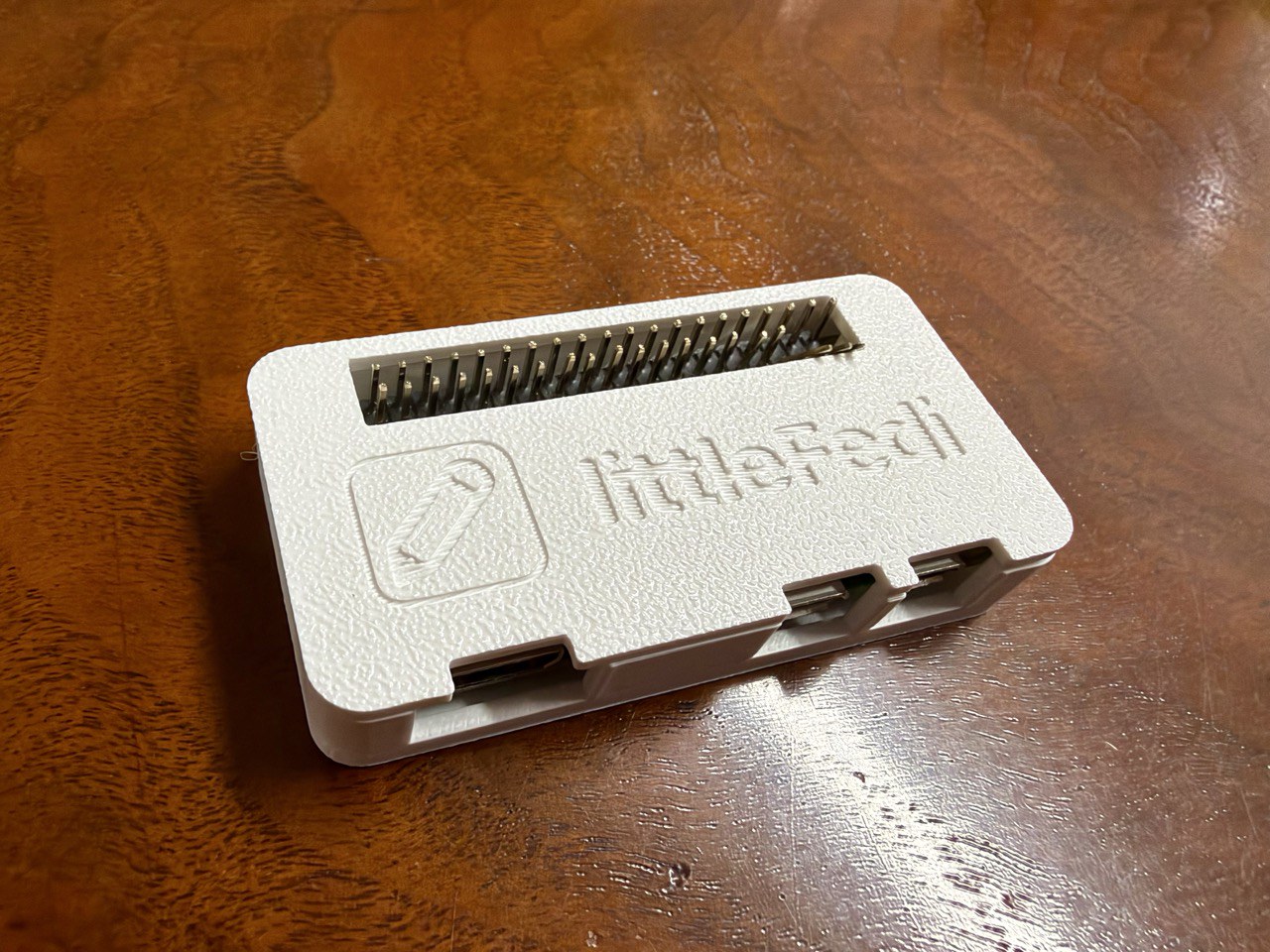
Today, a friend sold me his "old" 3D printer, and a whole new world opened up to me.
And yes, my instance just got a little prettier.
Hello friends,
just a small update: the Little Computer People are working, they already fixed some bugs and implemented some new features. I haven't had the time to mix them together and make a new build (here and online), but it's coming.

Okay, nice. Managed to lock down this #littlefedi instance a little bit more to prevent my accidentally "public" posts to be scraped via the web interface.
In my littlefedi.toml:
[web]
redirect_guests_to_about = true
And then in #OpenBSD relayd I have the following in addition to this:
# /etc/relayd.conf
# [...snip...]
http protocol "http_to_https" {
        #[... snip...]
        # Littlefedi forwards
        block request quick path pattern "^/public/local"
        pass request quick header "Host" value "0xde501a7a.net" forward to <littlefedi>
         #[...snip...]
}
This should be solid enough :)
The quote button is now better here, isn't it?
I've just pushed the last littleFedi build on littleOne
Do you want to see a #littleFedi instance's directory?
Here it is. It's all here.
littleone@littleone:~/littleone $ ls -l
total 2534224
drwx------    5 littleone littleone          5 Oct 12 21:23 backups
drwxr-xr-x   30 littleone littleone         30 Oct 13 16:22 blogs
-rwxr-xr-x    1 root      wheel       28676230 Oct 12 11:19 littlefedi-freebsd-amd64
-rw-------    1 littleone littleone 4367925248 Oct 13 19:56 littlefedi.db
-rw-------    1 littleone littleone      98304 Oct 13 12:20 littlefedi.db-shm
-rw-------    1 littleone littleone  108442552 Oct 13 19:56 littlefedi.db-wal
-rw-------    1 littleone littleone       3645 Sep 30 19:48 littlefedi.toml
drwxr-x---  402 littleone littleone        402 Oct 13 16:43 media
@chris@social.inzeiten.de @littlefedi_official@littleone.littlefedi.social That’s a fair point. On a single-user instance, the profile gives visitors access to much the same posts as the local timeline, so disabling the timeline doesn’t hide those posts.
The idea behind public_local_timeline is to let the administrator decide whether visitors can browse the instance's local timeline without signing in. You might want the front page to lead to an About page or a login screen while keeping your public profile and posts available to share.
Also, littleFedi defaults to a single-user setup, but it supports multi-user instances too. In that case, the local timeline brings together posts from different local accounts, while each profile shows that account’s posts. Restricting the shared timeline while leaving individual profiles public is a useful distinction.
Still, I can see how the setting's name could suggest more than it actually does. We should make that clearer in the configuration example.
It leaves profiles, individual posts, the API and federation unchanged. It controls access to the web timeline; it doesn't make public posts private.


Today is going to be a very important day.
I have a meeting that means a great deal to me, and its outcome will shape something very close to my heart.
It will mean a lot of work for me, but hopefully just as much satisfaction.
Things are looking very promising so far.
Fingers crossed! 🤞
A simple and effective guide to use S3 for littleFedi media files
 @lilpoes
#littlefedi + Garage S3
- Create a bucket, because I will using custom domain for this bucket (different with endpoint domain name) so the bucket name is my custom domain name eg.
img.domain.com, - Enable "exposing website access" to
img.domain.combucket Garage: exposing websites, - Configure a reverse proxy with Caddy or nginx to point the
img.domain.comto Garage web access Garage: Reverse Proxy - Edit the
littlefedi.tomlfile
[media]
backend = "s3"
public_base_url = "https://img.domain.com" # custom domain

[media.s3]
bucket = "img.domain.com" # bucket name
endpoint = "s3.endpoint.com # real Garage S3 endpoint
region = "us-east-1"
access_key = "myraccesskey"
secret_key = "mysecretkey"
Save and start littlefedi
PS: I need to download binary or build littlefedi source with S3 support.
#littlefedi + Garage S3
- Create a bucket, because I will using custom domain for this bucket (different with endpoint domain name) so the bucket name is my custom domain name eg.
img.domain.com, - Enable "exposing website access" to
img.domain.combucket Garage: exposing websites, - Configure a reverse proxy with Caddy or nginx to point the
img.domain.comto Garage web access Garage: Reverse Proxy - Edit the
littlefedi.tomlfile
[media]
backend = "s3"
public_base_url = "https://img.domain.com" # custom domain

[media.s3]
bucket = "img.domain.com" # bucket name
endpoint = "s3.endpoint.com # real Garage S3 endpoint
region = "us-east-1"
access_key = "myraccesskey"
secret_key = "mysecretkey"
Save and start littlefedi
PS: I need to download binary or build littlefedi source with S3 support.
@littler@pico.uninformation.org for now, a DM here or an email (stefano@dragas.it) is the best way. Thank you!
@demo@sludder.vildt.net they'll be announced by the @littlefedi_official - that account will be used only for releases and very important news.
Maybe you can follow it and put a "bell". And yes, it also has a RSS feed.
Dear #littleOne friends,
A new build of littleFedi is now powering this instance!
We've made several changes based on reports from our friends on this instance, feedback from those who have started self-hosting, and code reviews by the Little Computer People.
There are still a few things to integrate, but this will probably be the next build we release (likely tomorrow or on the 14th, two weeks after the previous release).
I'm attaching a non-exhaustive changelog:
- Alt text changed while editing a post from a Mastodon client (Mastodon web,
Phanpy, Elk, Ivory, Tusky and others) was silently dropped. It is now saved
and sent to other servers with the edit. - Alt text of images already attached to a post can now be edited from the web
composer. - When a remote author adds or changes alt text by editing a post, the change
now shows up here too. Before, the post kept its old description, and stayed
hidden for anyone filtering out media without alt text. PUT /api/v1/media/:idcan now clear a description, and refuses media that
is already attached to a post, as Mastodon does. Use the status edit instead.- Alt text is limited to 1500 characters on the server too, not only in the
browser. Longer remote descriptions are cut at the same length. The limit is
reported asdescription_limitin/api/v2/instance. - Media without alt text now report
descriptionasnullin the API, so
clients no longer show an empty ALT badge. - New Favourites page in the web interface, in the main menu, listing the
posts you liked, most recent first. - Paging through
/api/v1/favouritesskipped or repeated posts after the
first page. It now continues from the last post shown, like bookmarks. - When the timeline tabs or the top menu do not fit on one line, they now
show only their icons. Before, some themes cut the last items off or split
them over two rows. - Keep the canonical instance actor URL public in secure and allowlist modes,
fixing a key-fetch deadlock with other authorized-fetch servers. - With split domains,
/api/v1/instancenow reports the handle domain asuri,
and actors carry awebfingerproperty with their canonical handle. - Hashtags can now be followed from the search in Settings > Followed hashtags,
even before any post uses them. Hashtag pages with non-ASCII names, such as
#caffè, now open and follow correctly. - New
[web] redirect_guests_to_aboutsends signed-out visitors from/to
/about, and[web] public_blog_directory = falseputs/blogsand its
sitemap index behind the login. public_local_timeline = falsenow also hides the links to the local
timeline and asks for login on/public/localand when scrolling, not only
on/.- Signed-out visitors could load the federated and bubble timelines through
the scrolling endpoint. They now get the login page. - Moved profiles now show the destination and replace Follow with a link to
the new account. Old posts remain accessible, and cached account data is
refreshed as soon as the move is saved. - Move notifications now show and link to the destination, while the account
name still opens the original profile. Moves by different users stay in
separate notification rows when grouping is enabled. - Cached timelines now pick up new posts when blog publishing is enabled,
without waiting for the page cache to expire. Incoming boosts also update
open timelines through streaming. - Profile bios can now contain up to 5,000 characters in the web editor,
up from 500. - The notifications page now has a Mark all as read button. Clear all still deletes
them. - Follows imported from CSV are now saved before the upload is confirmed and
resume after a restart. Settings and the API show progress, existing follows
and failed lookups. Follow requests and their outgoing deliveries are saved
together, and only one import can run per account. This uses the existing
database schema. - CSV files over
migration.max_follows_importare now rejected instead of
being silently truncated. Set the limit to0to import the whole file. - CSV imports now leave an internal notification when they finish or stop
after a terminal error, with a summary and a link to that import. Retries
do not duplicate the notice; no email or push is sent. - Multiple Mastodon API Fixes
- Replies in the web interface now keep the original post's content warning,
both in the timeline and on the thread page. - Media can be added to a post by dragging files onto the composer or by
pasting an image, as well as with the file picker. Files dropped elsewhere
on the page go to the main composer instead of replacing the page.
@rqm@0xde501a7a.net this is a moshidon peculiarity. the devs should already have fixed this (incidentally, doing other fixes) in the proxy code. It will be in the next build.
@dendrobatus_azureus hello, yes I've received it. Sorry if I didn't respond. I haven't had much time for littleFedi in the last week, but I've forwarded it to the devs.
The point is: supporting all the apps seems more difficult than expected. You fix one - another breaks. And Mastodon APIs are mixed of old things, new things, etc. and supporting them all would make it quite difficult to handle. So they're trying to see case by case. It would be nice if the apps could start supporting littleFedi a little more, but it hasn't happened for snac for a long time, so I'm not expecting it. MastoBlaster will always keep snac and littleFedi in great consideration. Maybe it's time to port it to Android... (oh gosh...that won't be easy at all!). But then another issue will arise: MastoBlaster won't be open source. And Android users, usually, want open source solutions. That's why the PWA is quite complete: to support all the devices without having to rely on apps.