#littlefedi

My instance is different...
 @stefano@rpi0w.stefanomarinelli.it
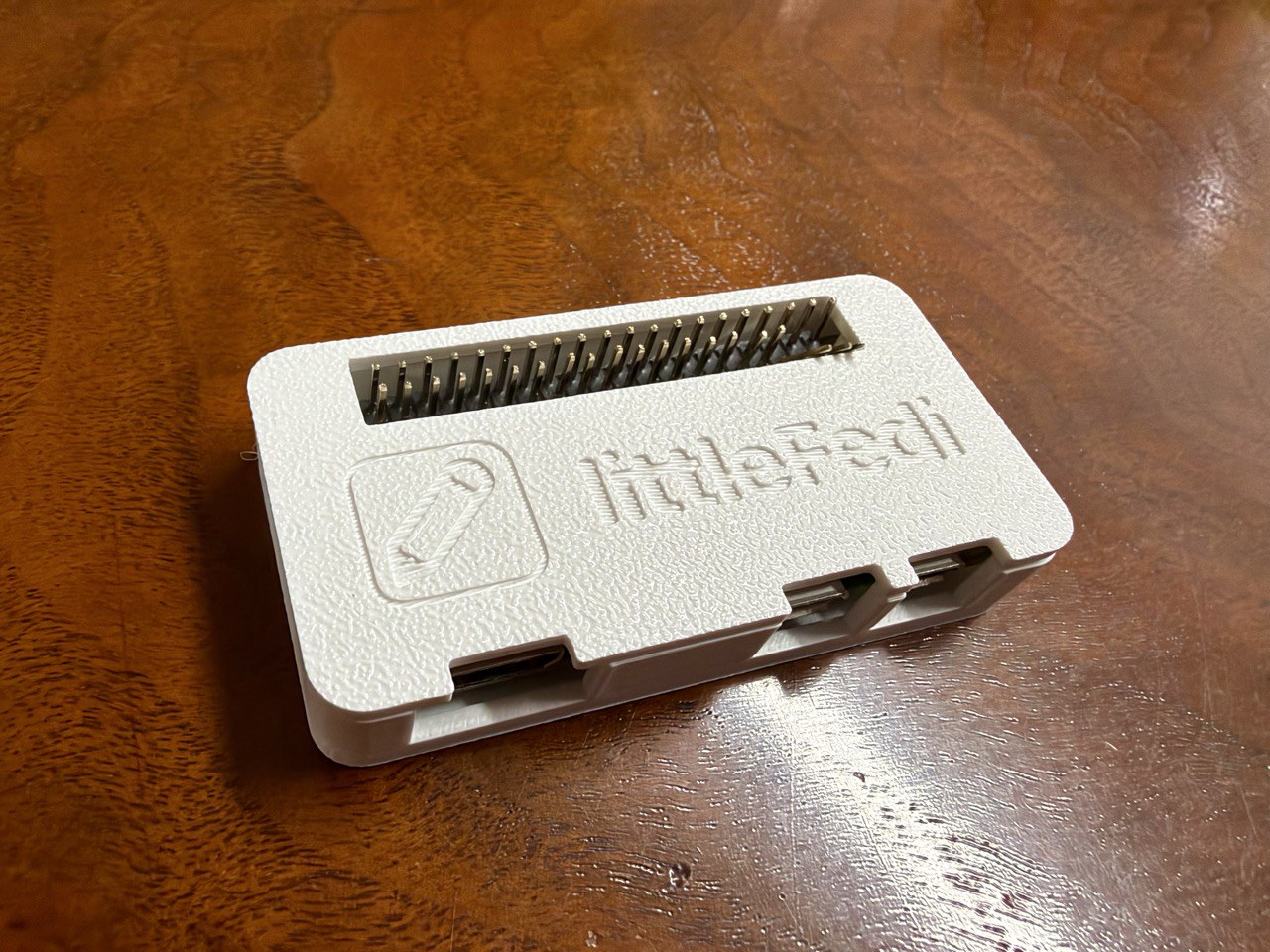
Today, a friend sold me his "old" 3D printer, and a whole new world opened up to me.
And yes, my instance just got a little prettier.
Hello friends,
just a small update: the Little Computer People are working, they already fixed some bugs and implemented some new features. I haven't had the time to mix them together and make a new build (here and online), but it's coming.

@stefano
I notice extremely slow search and it doesn't find anything.
That was differnt, some time ago.
Anyone else noticing the same behaviour?

It would be cool to have a repository of CSS tweaks for #littleFedi somewhere. For now, I'll just bookmark posts like this one.
 @rqm@0xde501a7a.net
Here are some CSS tweaks for #littlefedi Zephyr theme - tweaking status media display and highlighting mentions on the notification page.
.status-media img, .status-media {
width: auto;
object-fit: object-scale-down;
}

p.notif-excerpt {
color: var(--text);
}

.nt-favourite + .notification-content > .notif-excerpt {
color: var(--muted);
}

article.notification:has(> .nt-mention) {
border: 1px solid gold;
background-color: rgb(239 191 4 / 10%);
}
littleFedi development wish list
- Web Interface Admin Dashboard: I would like to one day be able to adjust configuration settings for my littleFedi instance through the web interface. Currently, configuration changes can only be made by editing the littlefedi.toml file through my server's terminal interface.
- Compose Button: I'd like a floating compose button that follows me around my instance. The mobile interface has this already, but on desktop the only place to compose a new post is at the top of the Home, Federated, Local, Bubble, Bookmarks, and DM feeds. (Note that composing from the Catch-up feed is not currently possible on desktop or mobile, and I'd like for that to be updated as well.)
- Media Pagination: It would be nice to be able to click/scroll through multiple images from a post containing more than one media file. Currently, a littleFedi user can only see one image at a time (i.e., expand an image, collapse the image, expand the next image—multiple taps/clicks for something that should really be swipeable/scrollable).
- Drafts: A way to save drafts for editing and posting later.
- Edit Scheduled Posts: I'd like to have the option to edit my scheduled posts in addition to rescheduling them. Currently, scheduled posts can only be rescheduled. To "edit" a scheduled post, a littleFedi user must delete, re-draft, and reschedule the post.
This next one is a long-shot, so I'm separating it from the more reasonable (IMO) wish list items above:
- Schedule Boosts: Hashtags and boosting are the primary means of increasing a post's visibility in the Fediverse. I follow accounts that post things I think more people might want to see, so I boost many posts, often. I boost so often, in fact, that I imagine my public feed is a bit overwhelming for followers at times. It would be awesome if I could schedule boosts in order to provide followers with some breathing room between reshares while still boosting my favorite people in the Fediverse.
Figured I'd put these wish list items in a public, centralized location until the #littleFedi development team creates an official location for feature requests. If any #littleFedinauts have their own wish list items that aren't on this list, please feel free to add requested features in the comments.
Any #littleFedinauts know what flag to use in the [media] block of the .toml configuration file to change the maximum pixels allowed per photo upload on a #littleFedi instance?
The quote button is now better here, isn't it?
I've just pushed the last littleFedi build on littleOne
Do you want to see a #littleFedi instance's directory?
Here it is. It's all here.
littleone@littleone:~/littleone $ ls -l
total 2534224
drwx------    5 littleone littleone          5 Oct 12 21:23 backups
drwxr-xr-x   30 littleone littleone         30 Oct 13 16:22 blogs
-rwxr-xr-x    1 root      wheel       28676230 Oct 12 11:19 littlefedi-freebsd-amd64
-rw-------    1 littleone littleone 4367925248 Oct 13 19:56 littlefedi.db
-rw-------    1 littleone littleone      98304 Oct 13 12:20 littlefedi.db-shm
-rw-------    1 littleone littleone  108442552 Oct 13 19:56 littlefedi.db-wal
-rw-------    1 littleone littleone       3645 Sep 30 19:48 littlefedi.toml
drwxr-x---  402 littleone littleone        402 Oct 13 16:43 media

littlefedi, snac, openbook, are innovating.
All three address different points that Dave Winer is identifying, and all three 'are' the little guys.
 @scripting@daveverse.org
Gruber is right. The only way for the others to compete with Twitter is to start innovating. Get rid of the limits. The funny thing is Twitter, the dominant leader, is moving forward and getting rid of character limits, and introducing styles and links. They’re acting like the little guy while the others, Bluesky, Mastodon, Threads, aren’t doing anything to be more useful. That whole market is stuck in 2006 and the myth that 140 chars somehow was magic. It wasn’t. It killed the web as a writer’s platform. If you want to compete with Twitter, drop your proprietary protocols, hook up to the web standards, and peer with your competitors. I wouldn’t be surprised if Twitter joined you. They have the same kind of competitive spirit that successful big companies have. It’s time for their competitors to not win users through guilt, rather by providing a better service. Back in the day, we hated Microsoft’s plan to suffocate the web, but we admired their tenacity and the way they kept the pressure on their competitors. We’ve had 20 years of stagnation in social networking. Time to stop being so sensitive. Bluesky made huge promises, and they aren’t happening, and that was already years ago. Time for Plan B. I don’t really care about the others, Masto isn’t going to move and Threads? Wtf is that. Inbound and outbound RSS 2.0, is the way to go. And Markdown is the way you do text. This is what matters, you all are making something that’s really simple so unbearably complicated.

A new build of littleFedi (2026.10.13) is out!
We've made several changes based on reports from our friends on this instance, feedback from those who have started self-hosting, and code reviews by the Little Computer People.
Here's a non-exhaustive changelog:
- Alt text changed while editing a post from a Mastodon client (Mastodon web,
Phanpy, Elk, Ivory, Tusky and others) was silently dropped. It is now saved
and sent to other servers with the edit. - Alt text of images already attached to a post can now be edited from the web
composer. - When a remote author adds or changes alt text by editing a post, the change
now shows up here too. Before, the post kept its old description, and stayed
hidden for anyone filtering out media without alt text. PUT /api/v1/media/:idcan now clear a description, and refuses media that
is already attached to a post, as Mastodon does. Use the status edit instead.- Alt text is limited to 1500 characters on the server too, not only in the
browser. Longer remote descriptions are cut at the same length. The limit is
reported asdescription_limitin/api/v2/instance. - Media without alt text now report
descriptionasnullin the API, so
clients no longer show an empty ALT badge. - New Favourites page in the web interface, in the main menu, listing the
posts you liked, most recent first. - Paging through
/api/v1/favouritesskipped or repeated posts after the
first page. It now continues from the last post shown, like bookmarks. - When the timeline tabs or the top menu do not fit on one line, they now
show only their icons. Before, some themes cut the last items off or split
them over two rows. - Keep the canonical instance actor URL public in secure and allowlist modes,
fixing a key-fetch deadlock with other authorized-fetch servers. - With split domains,
/api/v1/instancenow reports the handle domain asuri,
and actors carry awebfingerproperty with their canonical handle. - Hashtags can now be followed from the search in Settings > Followed hashtags,
even before any post uses them. Hashtag pages with non-ASCII names, such as
#caffè, now open and follow correctly. - New
[web] redirect_guests_to_aboutsends signed-out visitors from/to
/about, and[web] public_blog_directory = falseputs/blogsand its
sitemap index behind the login. public_local_timeline = falsenow also hides the links to the local
timeline and asks for login on/public/localand when scrolling, not only
on/.- Signed-out visitors could load the federated and bubble timelines through
the scrolling endpoint. They now get the login page. - Moved profiles now show the destination and replace Follow with a link to
the new account. Old posts remain accessible, and cached account data is
refreshed as soon as the move is saved. - Move notifications now show and link to the destination, while the account
name still opens the original profile. Moves by different users stay in
separate notification rows when grouping is enabled. - Cached timelines now pick up new posts when blog publishing is enabled,
without waiting for the page cache to expire. Incoming boosts also update
open timelines through streaming. - Profile bios can now contain up to 5,000 characters in the web editor,
up from 500. - The notifications page now has a Mark all as read button.
Clear all still deletes them. - Follows imported from CSV are now saved before the upload is confirmed and
resume after a restart. Settings and the API show progress, existing follows
and failed lookups. Follow requests and their outgoing deliveries are saved
together, and only one import can run per account. This uses the existing
database schema. - CSV files over
migration.max_follows_importare now rejected instead of
being silently truncated. Set the limit to0to import the whole file. - CSV imports now leave an internal notification when they finish or stop
after a terminal error, with a summary and a link to that import. Retries
do not duplicate the notice; no email or push is sent. - Multiple Mastodon API Fixes
- Replies in the web interface now keep the original post's content warning,
both in the timeline and on the thread page. - Media can be added to a post by dragging files onto the composer or by
pasting an image, as well as with the file picker. Files dropped elsewhere
on the page go to the main composer instead of replacing the page.

I've reached 100 💯 toots on this account!
Posting from Moshidon on a bigger RAM Android
Dear #littleOne friends,
A new build of littleFedi is now powering this instance!
We've made several changes based on reports from our friends on this instance, feedback from those who have started self-hosting, and code reviews by the Little Computer People.
There are still a few things to integrate, but this will probably be the next build we release (likely tomorrow or on the 14th, two weeks after the previous release).
I'm attaching a non-exhaustive changelog:
- Alt text changed while editing a post from a Mastodon client (Mastodon web,
Phanpy, Elk, Ivory, Tusky and others) was silently dropped. It is now saved
and sent to other servers with the edit. - Alt text of images already attached to a post can now be edited from the web
composer. - When a remote author adds or changes alt text by editing a post, the change
now shows up here too. Before, the post kept its old description, and stayed
hidden for anyone filtering out media without alt text. PUT /api/v1/media/:idcan now clear a description, and refuses media that
is already attached to a post, as Mastodon does. Use the status edit instead.- Alt text is limited to 1500 characters on the server too, not only in the
browser. Longer remote descriptions are cut at the same length. The limit is
reported asdescription_limitin/api/v2/instance. - Media without alt text now report
descriptionasnullin the API, so
clients no longer show an empty ALT badge. - New Favourites page in the web interface, in the main menu, listing the
posts you liked, most recent first. - Paging through
/api/v1/favouritesskipped or repeated posts after the
first page. It now continues from the last post shown, like bookmarks. - When the timeline tabs or the top menu do not fit on one line, they now
show only their icons. Before, some themes cut the last items off or split
them over two rows. - Keep the canonical instance actor URL public in secure and allowlist modes,
fixing a key-fetch deadlock with other authorized-fetch servers. - With split domains,
/api/v1/instancenow reports the handle domain asuri,
and actors carry awebfingerproperty with their canonical handle. - Hashtags can now be followed from the search in Settings > Followed hashtags,
even before any post uses them. Hashtag pages with non-ASCII names, such as
#caffè, now open and follow correctly. - New
[web] redirect_guests_to_aboutsends signed-out visitors from/to
/about, and[web] public_blog_directory = falseputs/blogsand its
sitemap index behind the login. public_local_timeline = falsenow also hides the links to the local
timeline and asks for login on/public/localand when scrolling, not only
on/.- Signed-out visitors could load the federated and bubble timelines through
the scrolling endpoint. They now get the login page. - Moved profiles now show the destination and replace Follow with a link to
the new account. Old posts remain accessible, and cached account data is
refreshed as soon as the move is saved. - Move notifications now show and link to the destination, while the account
name still opens the original profile. Moves by different users stay in
separate notification rows when grouping is enabled. - Cached timelines now pick up new posts when blog publishing is enabled,
without waiting for the page cache to expire. Incoming boosts also update
open timelines through streaming. - Profile bios can now contain up to 5,000 characters in the web editor,
up from 500. - The notifications page now has a Mark all as read button. Clear all still deletes
them. - Follows imported from CSV are now saved before the upload is confirmed and
resume after a restart. Settings and the API show progress, existing follows
and failed lookups. Follow requests and their outgoing deliveries are saved
together, and only one import can run per account. This uses the existing
database schema. - CSV files over
migration.max_follows_importare now rejected instead of
being silently truncated. Set the limit to0to import the whole file. - CSV imports now leave an internal notification when they finish or stop
after a terminal error, with a summary and a link to that import. Retries
do not duplicate the notice; no email or push is sent. - Multiple Mastodon API Fixes
- Replies in the web interface now keep the original post's content warning,
both in the timeline and on the thread page. - Media can be added to a post by dragging files onto the composer or by
pasting an image, as well as with the file picker. Files dropped elsewhere
on the page go to the main composer instead of replacing the page.

#littlefedi + Garage S3
- Create a bucket, because I will using custom domain for this bucket (different with endpoint domain name) so the bucket name is my custom domain name eg.
img.domain.com, - Enable "exposing website access" to
img.domain.combucket Garage: exposing websites, - Configure a reverse proxy with Caddy or nginx to point the
img.domain.comto Garage web access Garage: Reverse Proxy - Edit the
littlefedi.tomlfile
[media]
backend = "s3"
public_base_url = "https://img.domain.com" # custom domain

[media.s3]
bucket = "img.domain.com" # bucket name
endpoint = "s3.endpoint.com # real Garage S3 endpoint
region = "us-east-1"
access_key = "myraccesskey"
secret_key = "mysecretkey"
Save and start littlefedi
PS: I need to download binary or build littlefedi source with S3 support.
I've just upgraded the #littleOne #littleFedi build to the "WIP" one. This one hasn't been released, yet, and will be a part of the build that we'll release next week.
Some changes under the hood, mostly a new "Mark all as read" for notifications (and long tap on the Notification option, if using the PWA). More, Profile bios can now contain up to 5.000 characters in the web editor, up from 500.
Enjoy.

Good morning @stefano
Are there any statistics available about this lovely instance, mostly the data usage (per user) on disk
#LittleFedi #fediverse
☕ #Ristretto

When you install a new LittleFedi instance with pretty much default settings, what is the max character limit per post? Can you change it before or after installing?