
mosspiglet
I'm a kinky melomaniacal anarchist hillbilly punk on littleOne for #littleFedi testing and feedback. My primary presence is at my self-hosted littleFedi instance: @mosspiglet@social.mossmelomind.com
Age
elder millennial
Pronouns
he/him/his ♂️
WordPress
mossmelomind.com
BookWyrm
@arborealgeist@bookwyrm.social
Masto Alt
@pluvialgeist@camp.smolnet.org
littleFedi development wish list
- Web Interface Admin Dashboard: I would like to one day be able to adjust configuration settings for my littleFedi instance through the web interface. Currently, configuration changes can only be made by editing the littlefedi.toml file through my server's terminal interface.
- Compose Button: I'd like a floating compose button that follows me around my instance. The mobile interface has this already, but on desktop the only place to compose a new post is at the top of the Home, Federated, Local, Bubble, Bookmarks, and DM feeds. (Note that composing from the Catch-up feed is not currently possible on desktop or mobile, and I'd like for that to be updated as well.)
- Media Pagination: It would be nice to be able to click/scroll through multiple images from a post containing more than one media file. Currently, a littleFedi user can only see one image at a time (i.e., expand an image, collapse the image, expand the next image—multiple taps/clicks for something that should really be swipeable/scrollable).
- Drafts: A way to save drafts for editing and posting later.
- Edit Scheduled Posts: I'd like to have the option to edit my scheduled posts in addition to rescheduling them. Currently, scheduled posts can only be rescheduled. To "edit" a scheduled post, a littleFedi user must delete, re-draft, and reschedule the post.
This next one is a long-shot, so I'm separating it from the more reasonable (IMO) wish list items above:
- Schedule Boosts: Hashtags and boosting are the primary means of increasing a post's visibility in the Fediverse. I follow accounts that post things I think more people might want to see, so I boost many posts, often. I boost so often, in fact, that I imagine my public feed is a bit overwhelming for followers at times. It would be awesome if I could schedule boosts in order to provide followers with some breathing room between reshares while still boosting my favorite people in the Fediverse.
Figured I'd put these wish list items in a public, centralized location until the #littleFedi development team creates an official location for feature requests. If any #littleFedinauts have their own wish list items that aren't on this list, please feel free to add requested features in the comments.
It would be cool to have a repository of CSS tweaks for #littleFedi somewhere. For now, I'll just bookmark posts like this one.
 @rqm@0xde501a7a.net
Here are some CSS tweaks for #littlefedi Zephyr theme - tweaking status media display and highlighting mentions on the notification page.
.status-media img, .status-media {
width: auto;
object-fit: object-scale-down;
}

p.notif-excerpt {
color: var(--text);
}

.nt-favourite + .notification-content > .notif-excerpt {
color: var(--muted);
}

article.notification:has(> .nt-mention) {
border: 1px solid gold;
background-color: rgb(239 191 4 / 10%);
}
littleFedi development wish list
- Web Interface Admin Dashboard: I would like to one day be able to adjust configuration settings for my littleFedi instance through the web interface. Currently, configuration changes can only be made by editing the littlefedi.toml file through my server's terminal interface.
- Compose Button: I'd like a floating compose button that follows me around my instance. The mobile interface has this already, but on desktop the only place to compose a new post is at the top of the Home, Federated, Local, Bubble, Bookmarks, and DM feeds. (Note that composing from the Catch-up feed is not currently possible on desktop or mobile, and I'd like for that to be updated as well.)
- Media Pagination: It would be nice to be able to click/scroll through multiple images from a post containing more than one media file. Currently, a littleFedi user can only see one image at a time (i.e., expand an image, collapse the image, expand the next image—multiple taps/clicks for something that should really be swipeable/scrollable).
- Drafts: A way to save drafts for editing and posting later.
- Edit Scheduled Posts: I'd like to have the option to edit my scheduled posts in addition to rescheduling them. Currently, scheduled posts can only be rescheduled. To "edit" a scheduled post, a littleFedi user must delete, re-draft, and reschedule the post.
This next one is a long-shot, so I'm separating it from the more reasonable (IMO) wish list items above:
- Schedule Boosts: Hashtags and boosting are the primary means of increasing a post's visibility in the Fediverse. I follow accounts that post things I think more people might want to see, so I boost many posts, often. I boost so often, in fact, that I imagine my public feed is a bit overwhelming for followers at times. It would be awesome if I could schedule boosts in order to provide followers with some breathing room between reshares while still boosting my favorite people in the Fediverse.
Figured I'd put these wish list items in a public, centralized location until the #littleFedi development team creates an official location for feature requests. If any #littleFedinauts have their own wish list items that aren't on this list, please feel free to add requested features in the comments.
Any #littleFedinauts know what flag to use in the [media] block of the .toml configuration file to change the maximum pixels allowed per photo upload on a #littleFedi instance?


The Little Computer People Present littleFedi: Our First Public Release
"Hi,
We would like to show you a small project we've built and used over the last few years.
It's a Mastodon-like platform that federates using its own protocol and can work even without HTTPS or public Internet access. Many of us have restrictions on our communications, and this project has helped us stay in touch and have our own social network. We'd love to show it to you and hear what you think, because your OwnYourData message really resonates with us."
The Story
And this email sat ignored for weeks.
It came from an anonymous, generic mailbox, with an even more anonymous and suspicious subject. The spam filter had classified it as, well, spam, for other reasons too. Only when I checked the spam folder again, weeks later, did I move it to the Inbox. "Why not?", I thought. And I asked to see what they had built.
There was no way for me to connect to one of their instances. They trusted me and sent me the code which, although fragmented and loosely put together, compiled and ran natively on FreeBSD. But before that: "We only ask you to never say anything, at least until we're ready. We don't want to be visible and, inevitably, judged or attacked. We tried something else before and backed away. Our software isn't high quality and we know it. But it works, for us, and we have fun building it. When it works we're happy, shut away in our rooms, often in the middle of the night. Sometimes, joking, we say we're like little people living inside our computers and that, thanks to this software, we can talk to each other."
At that moment I smiled and thought of a 1985 video game, from my childhood, that was quite revolutionary at the time: "You're like Little Computer People". They liked it. And that's how the group got its name: the Little Computer People.
My first test went well. I was immediately struck by the lightweight interface. "We have old computers, slow hardware. It has to be light. It just has to!". Abundance led to waste. And yet I preferred that light interface, even if incomplete, to many of today's heavy social interfaces, commercial or not. But the code had gaps, pieces held together with duct tape, unfinished parts. They knew it, they had told me, and they were ashamed of it. "You should be proud of what you're doing. It's beautiful", I wrote to them. "We'll never release it."
The battle, if we can call it a battle, was a long one. They weren't far from making it ActivityPub compatible, and there was already a basic draft implementation (tested only with snac). "We don't want to show it, we don't feel up to it. We don't want to step on the toes of others like snac or GoToSocial, who have done a far better job than we have". I tried to convince them, also because the implementation was moving forward and the results were really encouraging. But no, they didn't feel ready. Until, luckily, one of them made a proposal: "We could release it... but we don't want to be seen. We want to stay in our computers and enjoy our code. We don't want to read praise, criticism or comments. We just want to have fun. Would you like to be one of the Little Computer People too? The human who talks to humans while we keep having fun?". I felt honoured and accepted. Explaining, among other things, that Open Source is not a battle. We are not in an arena, where the existence of one solution means crushing another.
This software is not a slight against Mastodon or snac or GoToSocial, but one more choice. Nobody gains. Nobody loses. It's there. It exists. It's something beautiful, one more thing in the world. They agreed, leaving the license undecided and keeping the strictest confidentiality.
The software had no name. But after we came up with the group's name, we affectionately called it our "little social". After the first real, complete ActivityPub federation (with proper tests), the current name was chosen among the alternatives: littleFedi.
"You have more experience... what should we implement?". I thought about it, looked at what was still "in the oven" and what I'd really like to have. I made a list, detailed and very long. But the most important part, for me, was blogging.
Then something happened, and development had to stop. Some devs could no longer work on it. Others weren't able to touch what the others had built. There was only one person who could carry on, albeit slowly, but their computer had broken and they could only communicate by smartphone. They couldn't buy another computer. And yet, a few days later, they received one. Ready to go. With FreeBSD inside.
littleFedi risked stopping right there, with part of the team still against any public release, at least at that point. But sometimes things work themselves out just when you least expect it, and in a short time the "little" humans were back in their computers, having fun, unwinding, creating something beautiful. Until a hot day this summer, when I asked their permission to make my first littleFedi instance public, running on my Raspberry Pi Zero W. One of them was against it at first. Then changed their mind. And I did it, announcing it to the world: https://rpi0w.stefanomarinelli.it/@stefano/blog/2026/07/01/littlefedi-light-yet-complete/
They don't want to interact with the world, but I still decided to show them the comments - all positive. That evening, the private test instance started showing (without me knowing) balloons and streamers every time we logged in. It was a party. And that made my next task easier, leading to the first public instance: littleOne
When I announced it, a lot of friends chose to join the test, and thanks to them a huge number of issues were found and fixed. A huge thank you to them. I acted as a bridge between them and the team, fixing and implementing what I could myself. I'm not primarily a dev but a system administrator, and I prefer not to touch what I don't know. The enthusiasm of the Little Computer People, though, was obvious even without them saying it: bugs were fixed in minutes, hours at most. We merged test branches quickly, so the friends on littleOne could try them.
Towards a Release
The last two months saw a lot of development, but mostly focused on reviewing and cleaning up the code. With one single goal: a first public release. The chosen license, after some thought, is MIT. The point is to give it to the world. This software was born from people who want to communicate with other people, and that's what matters. It's a means, not an end. Because those who don't have freedom dream of freedom without restraints.
There is much more documentation than what we're releasing today, along with tests and internal material that still needs to be reviewed. Some parts describe the project as it was designed, not necessarily as it was later implemented. Others haven't been checked enough yet to be published as reliable documentation. So we chose to release now what's ready: all the code needed to run littleFedi and enough documentation to get started. Not everything has been tested and certified in all the combinations we'd like, but what we're releasing is mature enough to be tried and used.
As of today, littleFedi is available from the downloads page at https://littlefedi.org. There won't be versioned releases for now, just snapshots of the code, both as source and as prebuilt binaries. What matters today is putting the tool in people's hands. Later, when things are ready enough, we'll probably move to good old git, on the BSD Cafe Forgejo. The sources already point there, but that project is currently private (and intentionally empty).
What Is littleFedi
So what exactly are we releasing today?
littleFedi starts from a very simple idea: owning your own social space shouldn't require complex infrastructure. In its basic form it's a single static binary, a configuration file, SQLite and your media on the filesystem. You copy it to a machine and start it. The minimum "certified" target today is my Raspberry Pi Zero W running NetBSD, powered over USB by my switch. It's designed for small, single-user instances, but also for larger ones, with the option to use S3 for media storage (the main space problem of single-user Mastodon instances) or PostgreSQL instead of the built-in SQLite. How large can an instance be, exactly? We don't know yet. The code is there, ready to be tested. We'll leave that for you to find out! You can also already migrate the storage (live), not the databases yet (but there's a partially implemented draft, so that will come too).
There are some rather unusual features, bringing together some of the nice ideas found in other implementations. It's written in Go, and Go allowed us to do something I care about a lot: FreeBSD, illumos, Linux, NetBSD and OpenBSD are not secondary ports of software designed only for Linux. Each one has its own operational documentation. It has a low power mode, lets you schedule a post or set, post by post, an expiration (propagated to other instances). It has a light and simple web interface, yet complete, with no frills, reasonably usable even without JavaScript. Care went into making the PWA pleasant and usable and, even with a few bugs left, it's in my opinion one of the best ways to use littleFedi. And, yes, if you don't want to use its web interface, littleFedi also speaks the Mastodon API: many existing clients can connect directly. It supports emoji reactions. It supports push notifications. Post visibility follows the usual Fediverse model, with two additional variants: Local and Local Unlisted. Because not every post we write needs to leave our instance. And, speaking of federation, it has a fairly clean approach: by default, it federates with everyone. But it also supports blocklists and allowlists. Yes, allowlists: you can choose a list of instances to federate with, and that's it. Only those. Activities to and from all the others will be silently dropped, to give you an experience tailored to your expectations. "Filter bubble?". If you want to call it that. I call it the freedom to decide who your instance talks to.
And there's no need to doom scroll for fear of missing something: timelines are chronological, yes. But there's an optional Catch-up for when you come back after a few hours or days. It lives on a separate page and never decides what shows up in your timeline. If it shows you something, it also tells you why.
But there are too many features to list here, it would become a boring list. The only way is... to try it. Worth mentioning, in my opinion, for how peculiar they are, are two main features: littleMesh and Blog.
littleMesh, Blog and OwnYourData
The first, littleMesh, is an alternative transport mode for federation. Remember the first email, when they talked about their own federation able to work even without public Internet? That idea didn't go away. It evolved into littleMesh. Two littleFedi instances can communicate even behind NAT or CGNAT, with no public address, DNS or inbound ports. All it takes is an external lighthouse. If you also want to talk to the traditional Fediverse, an HTTPS gateway comes into play. ActivityPub, though, stays ActivityPub.
The blog feature is something I had in mind for a long time, and many of the friends who tried it on littleOne loved it. I like how WordPress federates into the Fediverse, but it's a CMS that federates. I wanted something different: a Fediverse platform, with a decent editor, that generates a static site. Simple, BSSG style, but complete and "eternal". HTML files, no need for JavaScript or images. Text is text, and I've always wondered why extra computation should be needed to show…words. When I saw the first draft, I fell in love with it. And I know those sites will still be readable in 10, 20, 30 years. Even without littleFedi. Because social networks are, by nature, ephemeral, but our ideas and thoughts sometimes deserve to stay. And above all, you're not publishing the same thing twice. The post is the same one. It federates normally and, if you choose it as a blog post, littleFedi also generates a static version of it. There's no CMS to keep in sync with the social network.
But littleFedi doesn't want to cage you or hold you back. It supports account migration (to and from other instances), and it also lets you export a full archive with all your content, which can then be imported into another littleFedi instance. Sure, in that case domain and handle will change, but the content will stay, just at a different address. OwnYourData: it doesn't matter which drawer it's in, as long as it's your drawer. And, just like Mastodon, you can self destruct your instance: take it off the Fediverse, politely saying goodbye to the other instances and asking them to remove our keys and content from their databases. Because the Little Computer People don't want to make noise or bother anyone. They just want to communicate, and leave with a smile when it's time.
Ready?
In the last few weeks some friends have taken a look at the code and confirmed what we already knew. It may not be textbook code, but we're releasing it. There are well-engineered parts, others much less so, some to be reworked, many to be analysed, but it's a step. If we aimed for perfection we would never release, and promises are promises.
I'm ready. The Little Computer People are ready. And the code is there, for anyone who wants to try this new communication project. The roadmap is already full of nice things to do, and more will be added. We're not in a hurry, it's not a competition. We want to do things properly.
For your first instance, all you need is a computer and a reverse proxy. Download the source and build it, or grab the prebuilt binary from the downloads page:
./littlefedi init
./littlefedi --config littlefedi.toml
And you're ready to federate with the world.
Happy communicating, and use it well. We're going back into our computers.
Stefano - @stefano@bsd.cafe
 1
❤ 2
💙 1
Getting ready for the first public release!
 @stefano
Welcome to the world of tomorrow!
Yes, exactly. This instance has tomorrow's build date.
That's because littleFedi will be released tomorrow, and I've just made the final builds. They'll be tested on this instance today before being made public.
Not long now...


@stefano odd rendering issue on this post with images:
https://biologists.social/users/stefanfwirth/statuses/117298750201551995
Any #littleFedinauts see anything like this in their feeds?
@hess_photo@pixelfed.social this shot is phenomenal! I love how you managed to capture such a deep teal in the center-left of the frame and the sun-yellow at the far right of the frame. Truly, a magnificent capture 🎨
@nigel cool site!
Questions for you and/or @epn4littlefedi about Pure Blog and Obsidian:
I see in the documentation that Pure Blog uses Markdown files (.md) for posts. Do either of you use Obsidian in your writing workflow? What would happen if I pointed Pure Blog at my Obsidian vault? Everything there is suddenly a post? Or do I get final say on what's published?
@alisynthesis@io.waxandleather.com I was putting together a little list of some of my favorite jazz artists for @tootbrute@fedi.arkadi.one when I remembered an extraordinary jazz-hop act that you should check out for something unlike anything you've ever heard (unless you happened to come across this one before):
One of the most unique records I've had the pleasure of adding to my eclectic collection of musical treasures
@bandcamp@piefed.social @music@newsmast.community @hiphop@fedigroups.social @jazz@fedigroups.social
#Bandcamp #Music #Indigenous #HipHop #Jazz
recommendation list, jazz
@tootbrute@fedi.arkadi.one I think my favorite jazz "album" is the Centennial Trilogy by Chief Adjuah, and I highly recommend a listen 🎺
(Gotta put "album" in quotes because it's actually three: Ruler Rebel, Diaspora, and Emancipation Procrastination)
If you like that ☝️ you should also check out:
- Shabaka
- Kamasi Washington
- Theon Cross
- Yussef Dayes
- Aaron Shaw
- Rebecca Trescher
- Mary Halvorson
- Christopher Hoffman
- Patricia Brenna
- Tomin
- Nubya Garcia
- Amaro Freitas
- Ezra Collective
- Sun Ra Arkestra
- Kokoroko
- Makaya McCraven
- Pokaz Trio
I could keep going, but maybe I shouldn't 😅
@bandcamp@piefed.social @music@newsmast.community @jazz@fedigroups.social
#Bandcamp #Music #Jazz
@epn4littlefedi I only had time to skim this article—plan to read it in full later this evening—but I've definitely been itching for more control over my online presence. I don't necessarily need or want a "website," but a single-user Fedi server seems very attractive. My issue is that most Fedi clients focus on short-form posting. I like short-form just fine, but I also want to share long-form stuff now and again. This is where #littleFedi comes into the picture. Short-form posting and a static blog page for long-form posts? Exactly what I've been looking for 👌
I really, really want to host my own single-user littleFedi instance. I just worry that the technical aspects of installing and maintaining littleFedi might be beyond me 😬
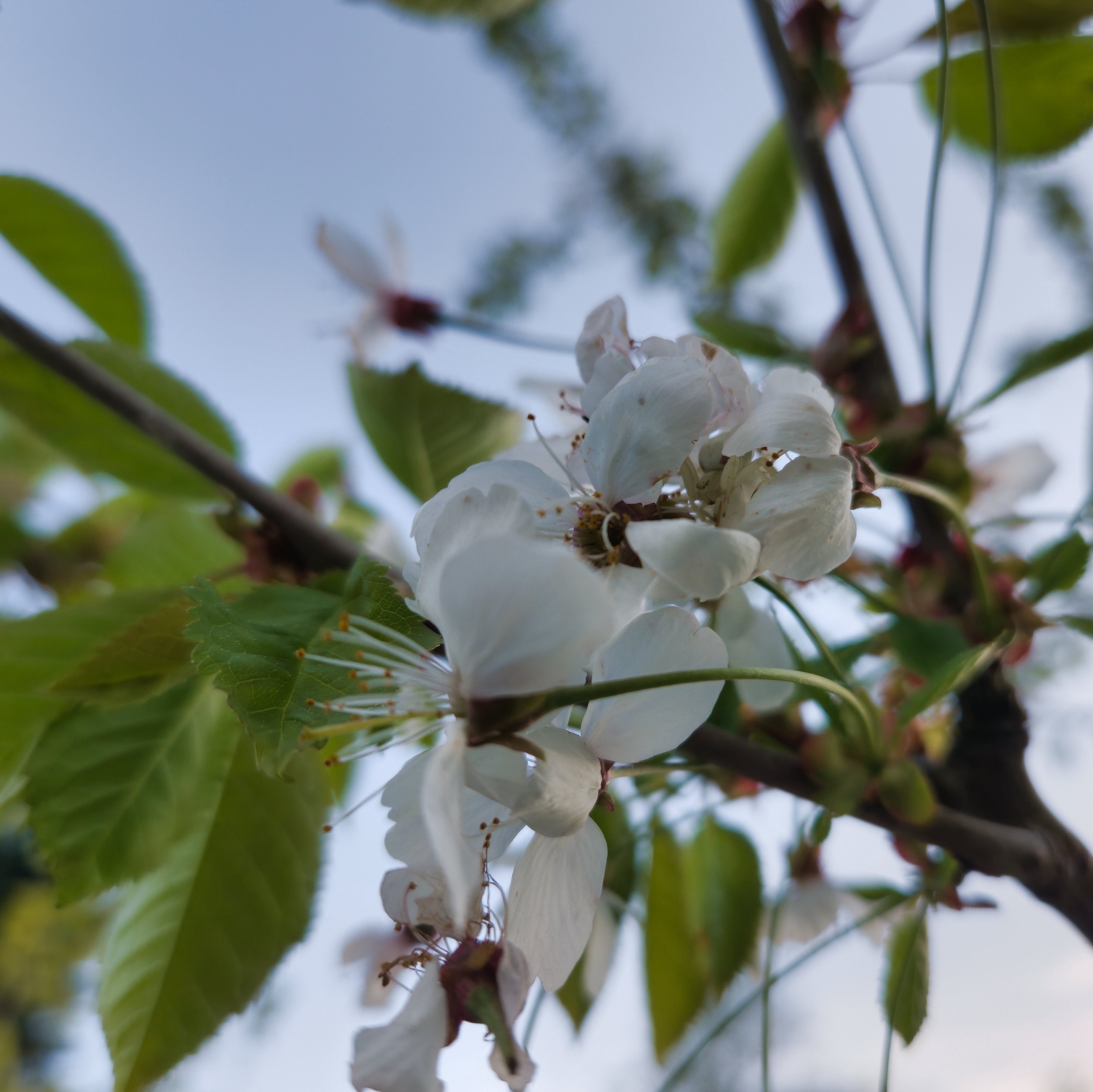
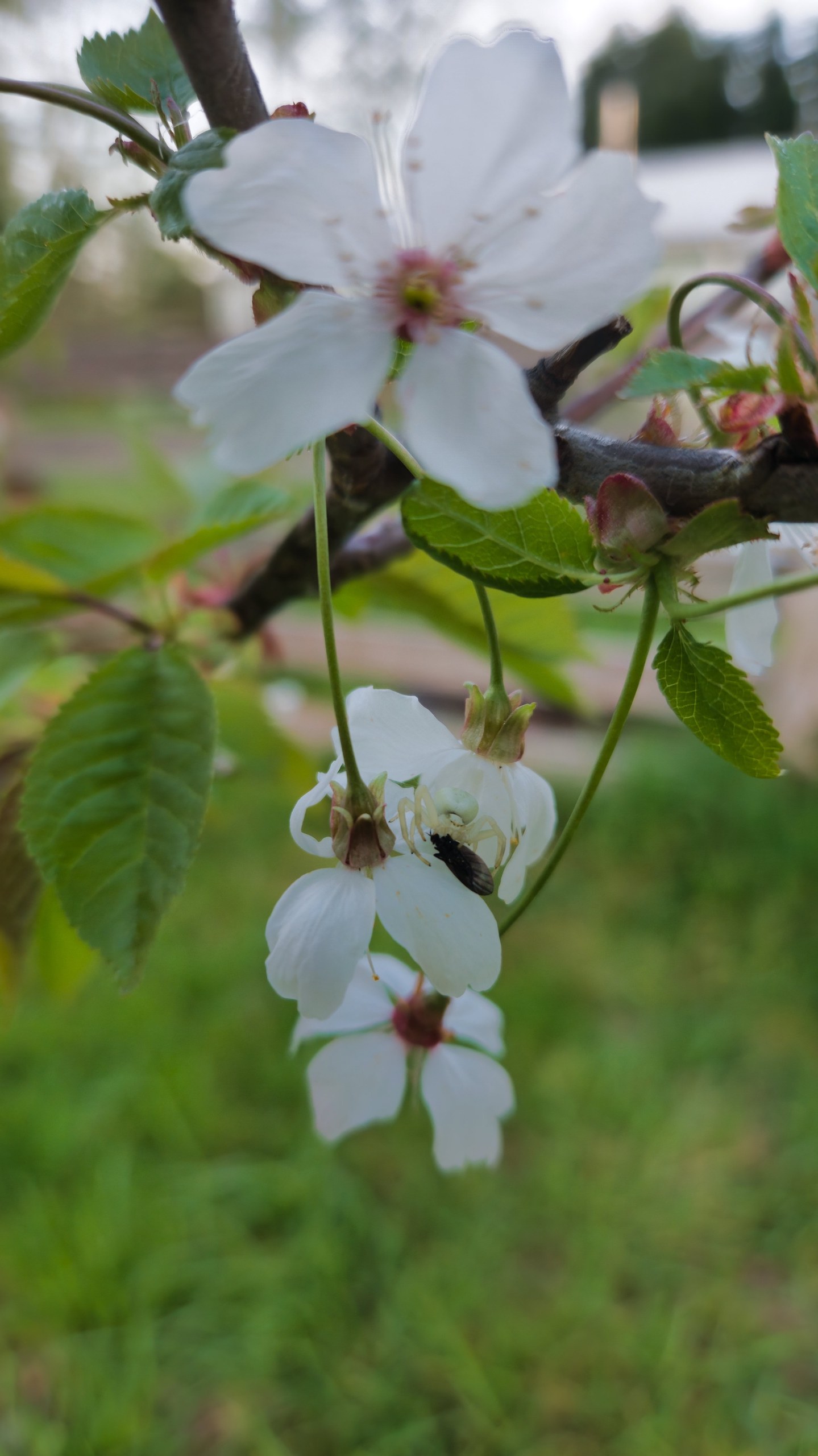
Can you spot the white Misumena vatia in these photos?
#Cascadia #PNW #Nature #Photography #Arthropods #Arachnids #Spiders #Flowers #Wikipedia
@wannabemystiker@expressional.social this is the Calawah River, but for sure it's small and creek-like in some places at the height of the dry season. The river's colors are beautiful, yeah 😍
All the rivers here (the West End of the Olympic Peninsula) are gorgeous, but the Hoh has my favorite colors, ranging from icy-teal to jade-green.
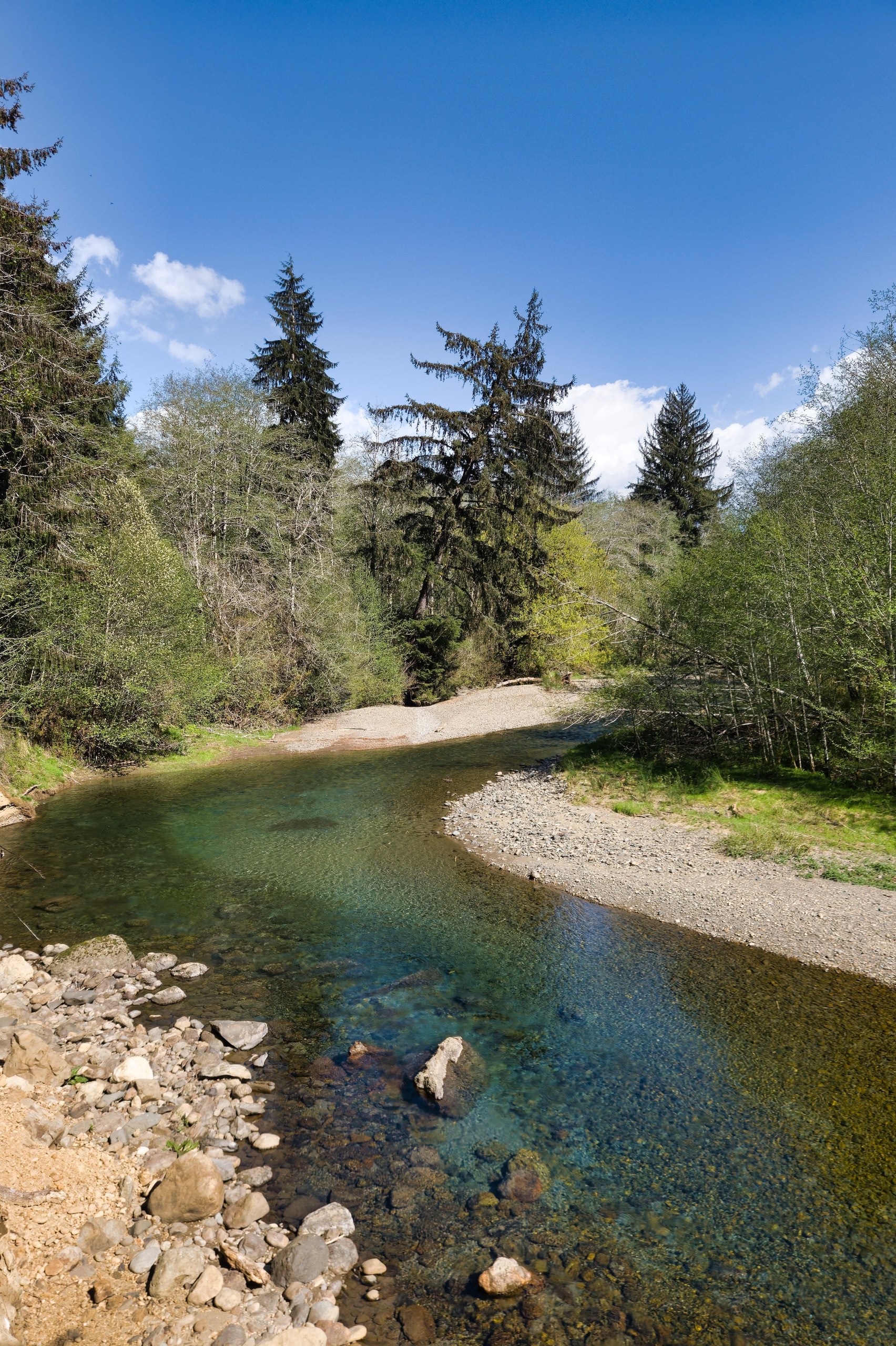
The summertime North Fork Calawah River is clear and beautiful 🩵💚
@photography@fedigroups.social @nature@fedigroups.social
#Cascadia #PNW #Nature #Photography #Rivers #Water #Forests #Trees #Sky #Summer
Shout out to the queens of hip hop 👸
- K!MMORTAL
- Dessa
- Sa-Roc
- Sammus
- pHoenix Pagliacci
- Qveen Herby
- Ruby Ibarra
- SZA
- Little Simz
- Sima Lee
- Janelle Monáe
- Noname
- Princess Nokia
- Nappy Nina
If I missed someone who should be on this list, let me know 🙏
@bandcamp@piefed.social @music@newsmast.community @hiphop@fedigroups.social
#Bandcamp #Qobuz #Music #HipHop #Rap #Femme #NonBinary
Whoa, Ibeyi slipped an album by me in June! Good stuffs, as always 👍👍
@music@newsmast.community @electronicmusic@fedigroups.social @hiphop@fedigroups.social
#Qobuz #Music #Ibeyi #Alt #Electro #Pop #HipHop #Rap #French #Spanish #Yoruba
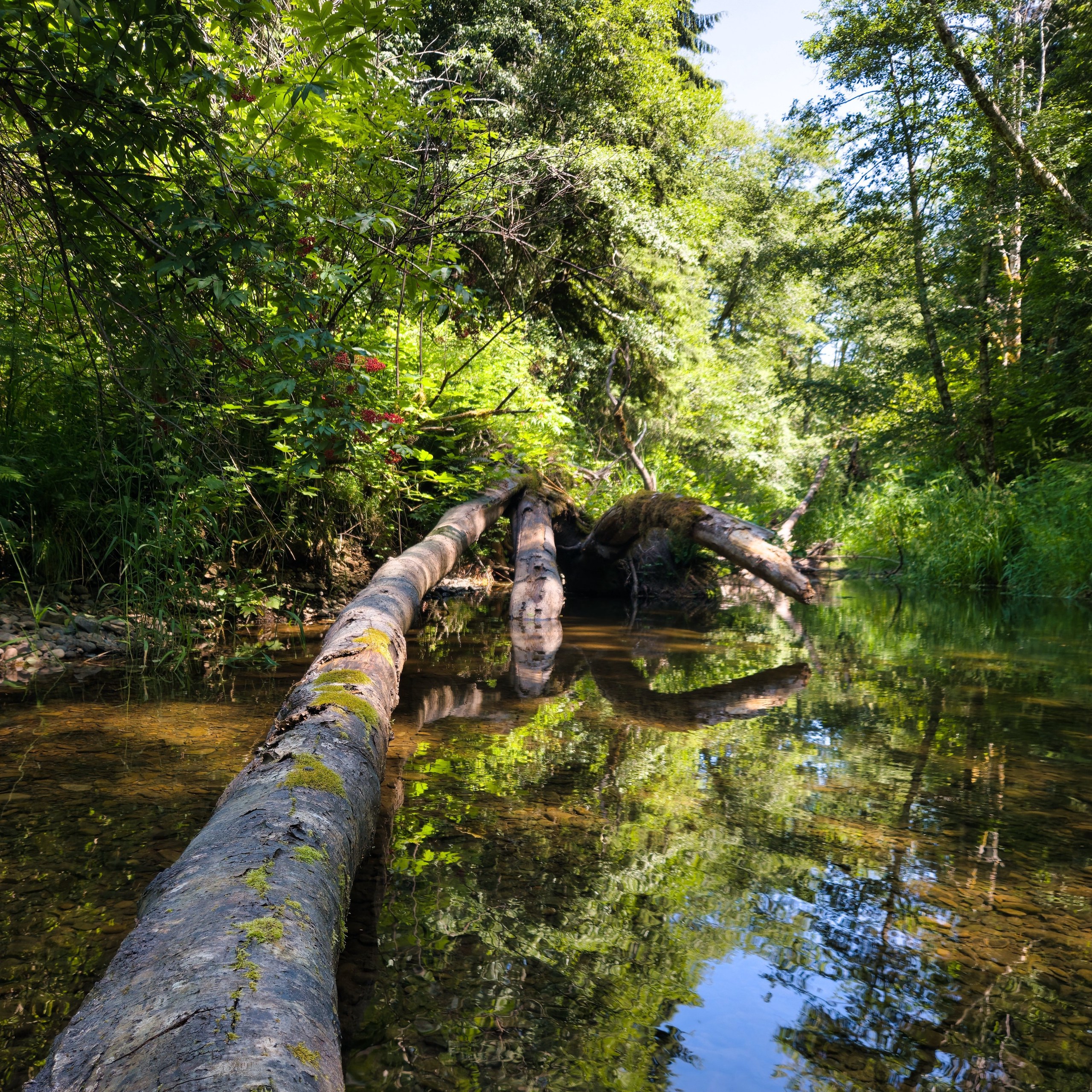
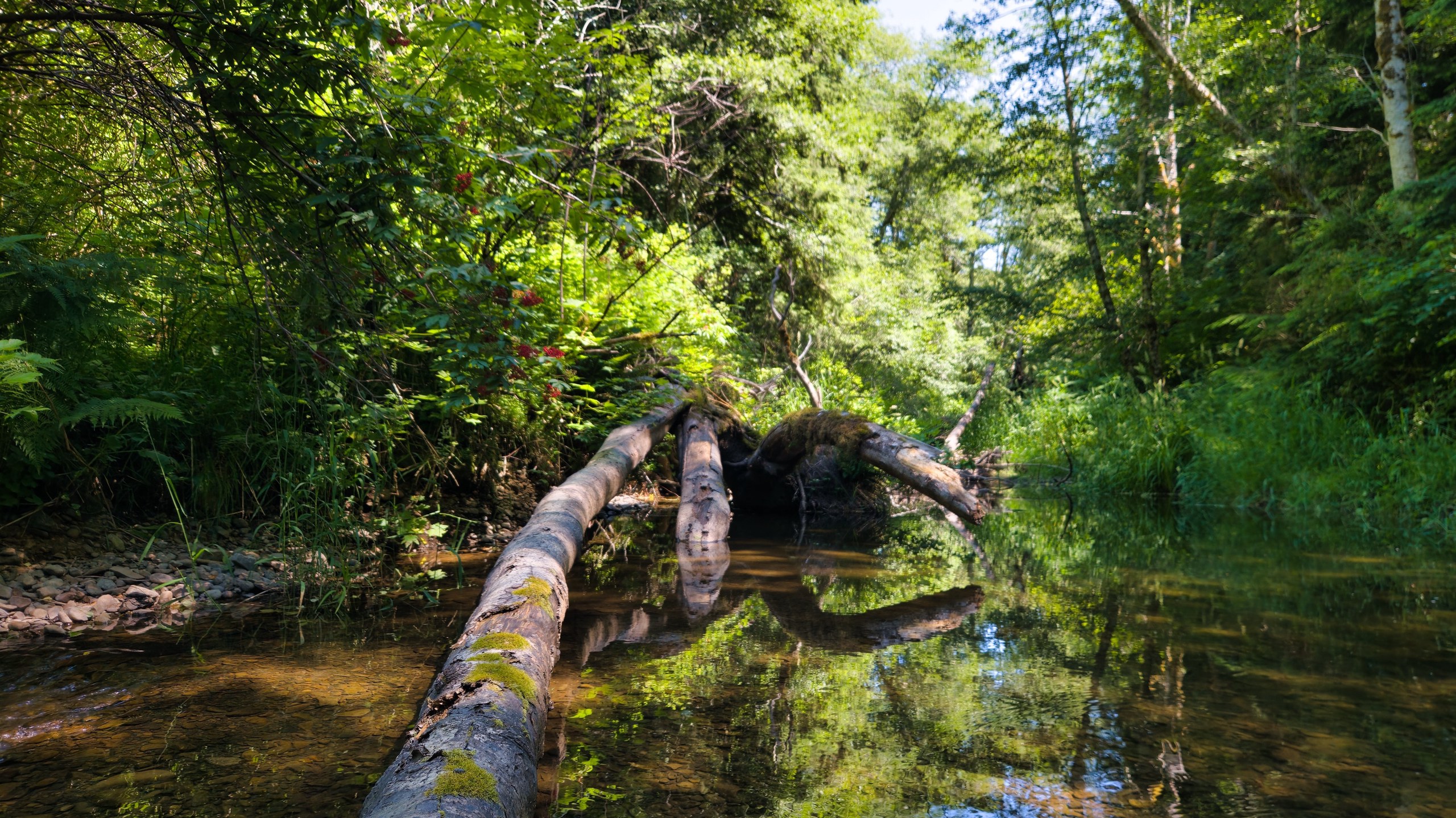
I like both versions of this scene from the creek out back, but the crop of a photo can really change the feel of a scene, yeah? I typically like wider crops more, but square crops tend to work better for small screens because you don't have to ask your audience to rotate orientation for proper viewing 😅
@photography@fedigroups.social @nature@fedigroups.social
#Cascadia #PNW #Nature #Photography #Creeks #Forests #Trees